Laboratory Software · LIMS Modernization
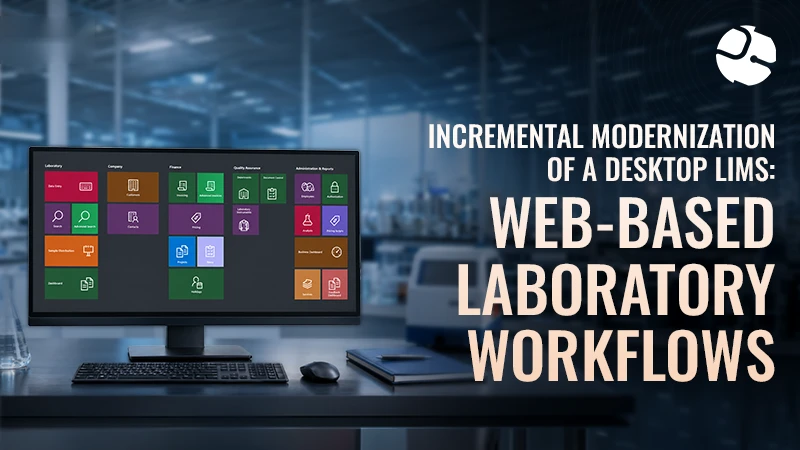
Moving a Desktop LIMS to the Web, One Laboratory Workflow at a Time
Project Snapshot
- Client : Environmental and analytical testing laboratory
- Industry : Laboratory testing — environmental and analytical services
- Scope : Six laboratory departments — PLM, PCM, TEM, Materials/XRD, Chemistry and Microbiology
- Platforms : Desktop application, web application, REST API
- Technologies : React 19, TypeScript, Tailwind CSS, .NET 8, Entity Framework Core, WinForms, DevExpress, MS SQL Server
- Status : Phase 1 live — PLM bench sheet on the web, desktop LIMS running throughout
The Impact
0 days
Laboratory downtime during modernization — no shutdown, no migration weekend
6
Departments that kept running on the desktop system while the first web module shipped
314+
Database entities shared by desktop and web, so both read and write one source of truth
1
First workflow live on the web: the PLM bench sheet, filled in on a tablet at the microscope
Overview
The client runs a laboratory information management system that carries the whole lab lifecycle: order intake, chain of custody, sample distribution, analysis across six departments, quality control, reporting and billing. Three groups depend on it every day:
- analysts at the bench recording results department by department,
- lab managers tracking orders, chain of custody, quality control and turnaround times, and
- finance and reporting teams billing the work and issuing analytical reports.
That system began as a mature WinForms desktop application: 2,400+ source files, 440 view models, 343 analytical report modules, all backed by a shared SQL Server database of more than 314 entities. Brain Station 23 took ownership of ongoing delivery — shipping new features, tidying the architecture and keeping the desktop running for laboratory staff without interruption.
Analysts, though, work standing at a microscope, and the desktop interface was never built for a tablet. Replacing the whole system to fix that would have meant a rewrite, a migration and a shutdown the laboratory could not afford.
So the team opened a second track: an incremental move to the web, one workflow at a time. The first module in production, the PLM bench sheet, lets analysts complete polarized light microscopy work in a browser while the desktop application continues to serve everything else. Both channels read and write the same laboratory database, so nothing is duplicated and nothing is stranded.
Business Challenges
Modernizing a laboratory system is not a screen refresh. The application in daily use is the system of record for six departments, and every change has to respect the validation rules, the audit trail and the shift that is running while the work is deployed.
Nine pressures shaped the work.
- The desktop system was business-critical. A mature application ran six departments day to day, so modernization had to happen around it rather than pause it.
- Analysts needed tablet access at the bench. Data entry happens at the microscope, but the desktop interface was never designed for touch.
- Validation had to match the desktop exactly. Bench sheet data carries strict rules, including component totals that must reach 100% and mandatory asbestos identification.
- Samples are layered. A single sample can hold multiple component layers, each needing to be created, edited and validated on its own.
- Every asbestos result carries optical properties. Morphology, refractive indices, treatments and colours all have to be recorded and checked.
- Laboratory notes were fragmented. Quick notes, other status and lab notes lived apart and had to end up as one final note on the record.
- Unsaved work could be lost. Analysts could navigate away from a validated bench sheet before saving it.
- Two development tracks shared one database. Desktop features and the new web module had to ship in parallel without schema conflicts.
- Access control spanned three layers. Desktop, web and API each needed their own controls — Active Directory and database roles on the desktop, JWT authentication for web and API.
All of it lands on the analyst at the bench: results written on paper or carried back to a workstation, totals checked by hand, and notes reassembled later by someone else.
Running a laboratory on a desktop system that cannot reach the bench?
Bring it to a 30-minute call — we will come back with a modernization path and a scoped estimate.
What We Built
Brain Station 23 kept the desktop application moving while building a web channel beside it, sharing one database and one set of business rules. The work below is what has been delivered.
Continuous desktop delivery
The existing application kept gaining features throughout: 2,400+ source files, 440 view models and 343 analytical report modules maintained and extended, so laboratory operations never had to wait for the web work to finish.
A layered REST API
A clean .NET 8 API with 13 controllers and more than 14 business endpoints now sits over the same SQL Server schema the desktop uses, giving the web channel a supported way in rather than a second copy of the data.
A modern web application
A React 19 single-page application built for tablets, with larger, touch-friendly inputs sized for gloved hands at the bench.
The PLM bench sheet module
The first workflow delivered on the web: sample distribution queue, batch run loading, multi-layer sample editing, optical properties, sample status panels, analyst signatures and landscape PDF export.
Desktop-aligned validation
Front-end validation enforces the same rules as the desktop — components totalling 100%, required asbestos components, and attribute and colour checks across nine allowed attribute types.
Real-time calculations
Percentages are recalculated as the analyst types, with a visual indicator when the layers do not add up, so mismatches surface during entry instead of at review.
Navigation guards
Leaving a bench sheet with unsaved changes now raises a warning, closing the gap where validated work could be lost.
Modular optical properties
Reusable components handle morphology lookup, keep a draft in browser storage while the analyst works, and save through the API.
Consolidated laboratory notes
Quick notes, other status and lab notes are combined automatically into a single final laboratory note on the record.
Advanced queue search
Sample distribution search filters across department, order, analysis, turnaround time, due date and analyst assignment, returning 20 records per page.
Automated CI/CD
GitHub Actions pipelines deploy the API and the web front end to IIS across development, QA and staging, making releases repeatable.
Parallel tracks on one database
Desktop features and web modules ship simultaneously against the shared database, with no schema conflicts between the two.
The Results
The laboratory kept working throughout. Analysts now complete PLM bench sheets on a tablet at the microscope, while the desktop system continues to run orders, chain of custody, finance, quality control and reporting for all six departments.
Impact by the Numbers
| Business Outcome | Result | What It Means |
|---|---|---|
| Lab departments supported on desktop | 6 | Full lab operations continued without interruption |
| Web modules live in Phase 1 | 1 - PLM Bench Sheet | First high-value workflow moved to the web |
| Component validation rule | 100% | Every sample must total 100% before saving |
| Analyst queue search | 20 records per page | Faster lookup of assigned batch runs |
| Deployment environments | 3 - Dev, QA, Staging | Safer, repeatable releases |
| Desktop & web on one database | 314+ entities | No data silos between legacy and modern systems |
| Lab downtime during modernization | 0 days | No operational shutdown required |
Operational efficiency
Analysts complete PLM workflows at the bench instead of walking back to a workstation. The sample distribution queue, bench sheet entry, validation, signature capture and PDF export now sit in one web workflow, and landscape bench sheet PDFs are generated in the browser without opening the desktop application.
Data quality and compliance
Component percentages must total 100% and asbestos checks must pass before a bench sheet can be saved, matching the desktop rules exactly. Real-time indicators catch mismatches during entry rather than at review, and navigation guards stop validated work being lost.
Business continuity
The full desktop LIMS kept operating across six departments while the first web module was delivered. Desktop and web share one database, so an entry made in either is immediately visible in the other, and the API and web architecture is ready to extend to PCM, TEM, Chemistry and the rest without replacing the system.
The decisive choice was to modernize incrementally rather than rewrite. The desktop application stays authoritative for order management, chain of custody, finance, quality control, multi-department results and analytical reporting. The web channel grows only where mobility matters most, starting at the bench.
That means laboratory staff keep the workflows they know, each new web module has a narrow and testable scope, both channels stay in step because they share one database, and the risk of any single release stays small. The API grows module by module, in the order the business needs it.
Appendix: Technical Delivery Metrics
| Metric | Value |
|---|---|
| Shared database entities | 314+ |
| Desktop C# source files | 2,400+ |
| Desktop ViewModels | 440 |
| Analytical report modules | 343 |
| REST API controllers | 13 |
| Business REST endpoints | 14+ |
| Web UI source files (TypeScript/React) | 49 |
| Bench sheet UI components | 22+ |
| Validated attribute types | 9 |
| API unit test suites | 8 |
Modernize lab workflows without disrupting operations
You might run a mature desktop system that is painful on a tablet, too expensive to replace outright, or too slow to extend. Incremental modernization gives you new web workflows feature by feature while the existing system keeps running.
Book a 30-minute call with Brain Station 23. Bring the workflow that hurts most — bench entry, reporting or integration — and we will come back with an architecture, a delivery plan and a scoped estimate.
Running a laboratory on a desktop system that cannot reach the bench?
Bring it to a 30-minute call — we will come back with a modernization path and a scoped estimate.
Related Case Studies